Issues / #925
#925 Setup: show progress in the browser from the first second (status page with steps, speed and ETA)
open · @storm-ace · 3 comments · View on GitHub
Setup & installServer & APIAMD / HIPModels & quantsDocumentationWindows
Description
## The problem
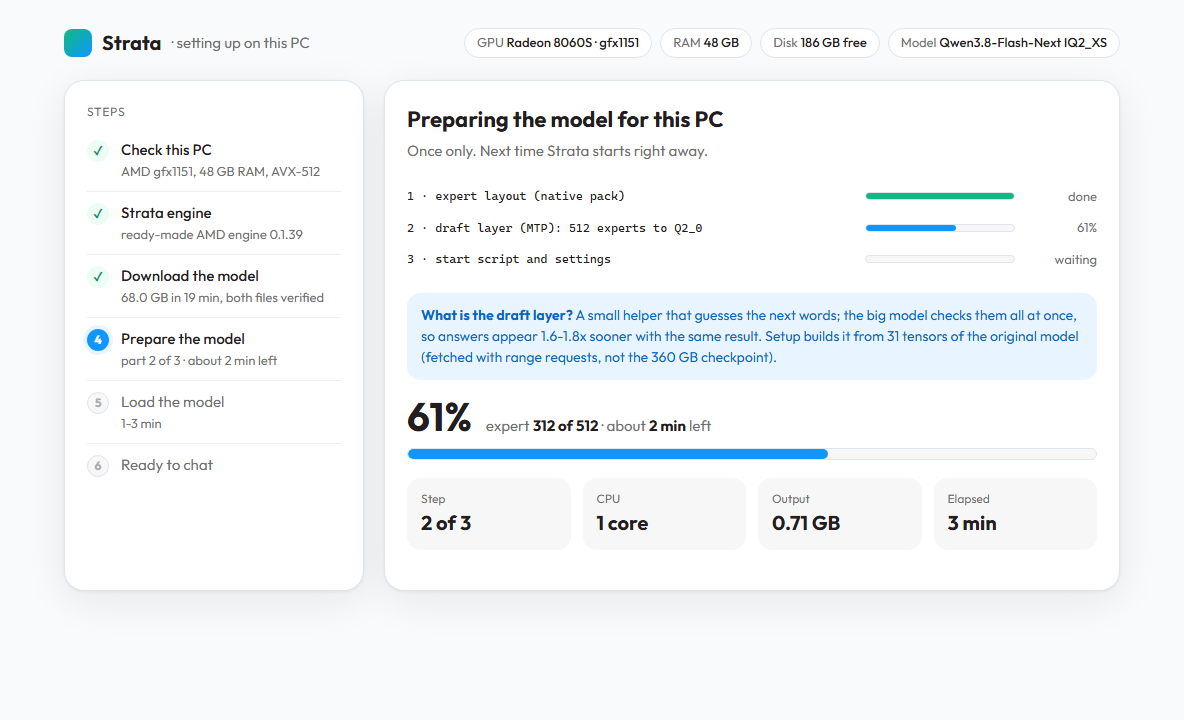
From double-clicking `START-HERE.bat` until the chat page opens, the only feedback is a console window. On a first install that is a long time: on my PC (Ryzen AI Max+ 395, Windows 11, IQ2_XS) it was the 68 GB download, then several minutes of preparing the model, then 1-3 minutes of loading. Some steps print almost nothing: `tools/mtp_pack.py` was silent for minutes while it quantized the draft layer's 512 experts, which looks like a hang. The browser opens only when the model is READY.
None of that needs the model. The progress numbers already exist; they only go to the console:
- `download()` in `setup.py` already knows bytes done and total per file;
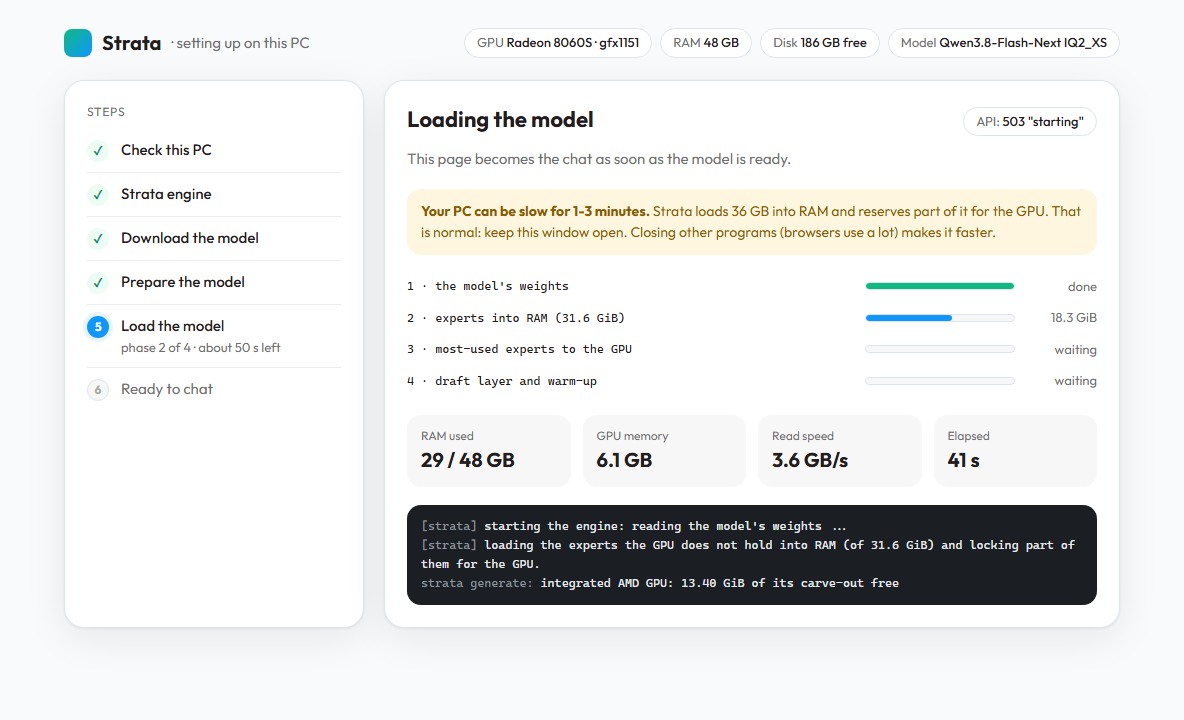
- `serve/server.py` already narrates the load phases (`narrate_start`, `experts_loading_words`) and answers `503 "starting"` while the engine starts (#344).
## Proposal
Show a status page in the browser from the first second of setup, and let the same page turn into the chat.
1. **Setup starts a tiny status server** on `127.0.0.1:8080` right away (Python standard library only, so it works before any package is installed) and opens the browser. It serves one static page plus `GET /status.json`.
2. **Setup writes its state** as it goes: the step list, the current step, and for long steps done/total, speed, ETA and the last log lines. Every long step reports progress, including `mtp_pack.py` (expert N of 512) and the native pack.
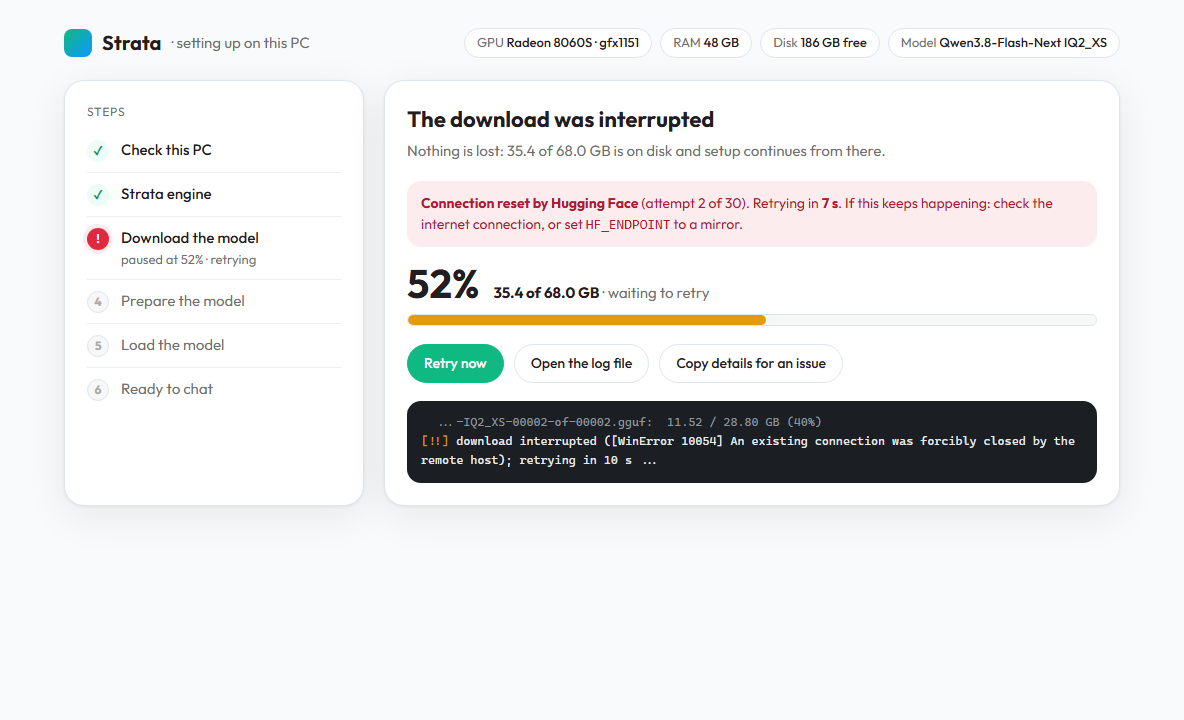
3. **Errors are shown with what to do**: the same text setup prints today, plus "retrying in N s", and buttons to retry, open the log, or copy the details for an issue.
4. **Handoff to the real server:** setup stops its status server just before `run-<model>.bat` starts `serve/server.py`. The real server serves the web app at once, shows the load phases it already narrates (weights, experts into RAM, experts to the GPU, draft layer), and switches the same tab to the chat when the engine says READY, instead of opening the browser only then.
A possible `status.json`:
```json
{
"step": "download", "steps": ["check", "engine", "download", "prepare", "load", "ready"],
"title": "Downloading the model",
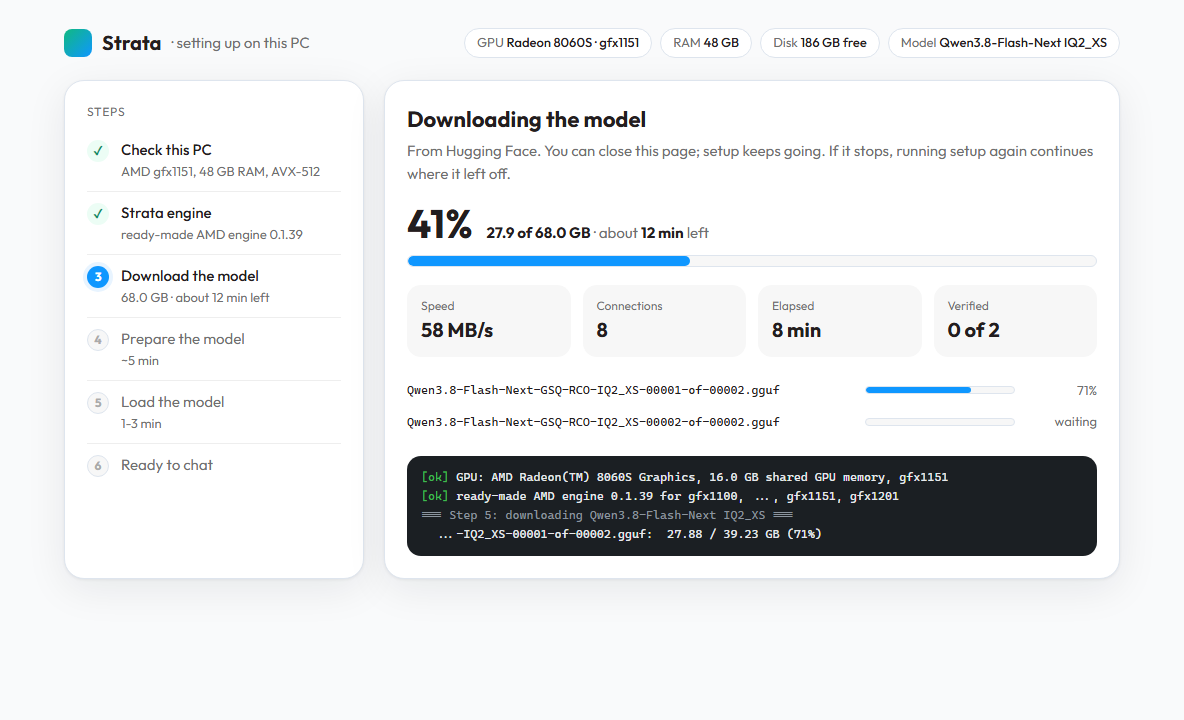
"done": 27900000000, "total": 68026093024, "speed": 60800000, "eta_s": 660,
"files": [{"name": "Qwen3.8-Flash-Next-GSQ-RCO-IQ2_XS-00001-of-00002.gguf", "done": 27880000000, "total": 39225954592}],
"log": ["[ok] ready-made AMD engine 0.1.39 ..."],
"error": null
}
```
## Mockups
Static mockups, styled with the web app's own tokens (`serve/web/tokens.css`) and the Outfit font. The numbers are realistic but illustrative. Source: [`setup-status.html`](https://github.com/storm-ace/Strata/blob/mockups/setup-status-ui/docs/mockups/setup-status/setup-status.html) (one file, `#download` / `#prepare` / `#load` / `#error`).
**Downloading**, with speed, ETA, per-file progress and the console's own lines:
**Preparing**, the step that is silent today:
**Loading**, served by `serve/server.py` itself; the same tab becomes the chat on READY:
**An interrupted download**, with what happens next and what the user can do:
## Scope
- The console stays as it is. The page is an extra, and `--no-browser` / `"open_browser": false` (#609) keep it closed.
- Only `127.0.0.1`. The status server has no API and runs nothing; it only reads setup's own state.
- Not in this proposal: changing what setup asks or installs.
## Related: download speed
`download()` uses one HTTP connection per file. On my connection, measured against Hugging Face for the same IQ2_XS file: one connection gave 22-32 MB/s; 8 parallel range requests (256 MB pieces) gave 51-61 MB/s (less only while the last pieces of a file finished), which brought the 68 GB down from about 40 to about 20 minutes. Both shards passed SHA-256 against Hugging Face's LFS hash afterwards. A parallel download could also feed the "Connections" and "Verified" fields in the mockup. Happy to split this into its own issue.
If this direction is welcome, I can implement it as a PR.
Related on strata.com
Editorial links to help you install, pick models, or read release notes — not part of the upstream thread.